


















Become a Job Ready UI/UX Designer in 16 Weeks with AI Powered Learning
Learn UI/UX design from basics to advanced level with self-paced lessons, weekly live sessions, personal mentorship, and a guaranteed internship.
Why This Course?
The Fastest Path from Beginner to Professional Designer
Self Paced + Live Sessions
Get Life time Access to Recordings + 2 Weekly Live Sessions
Lifetime Free Guidance After the Course
Ongoing support and career help even after course completion.
Covers Basics to Advanced UI/UX Concepts
Step-by-step training from beginner fundamentals to pro-level skills.
Mentored By Senior Ux Designer
Learn From Real Ux Designers With Hands On Industry Knowledge
Internship + 100% jOB Assistance
Get 1 Month Guaranteed Internship & 100% Job Assistance until you get Placed
What You’ll Learn
Everything You Need to Become a Confident UI/UX Designer
Learn 20+ industry standard design tools
Master AI powered workflows and design automation
Practice 30+ activities and Real world case studies
Complete 3 full UX projects from idea to Design
Build your own career ready portfolio
Get personalized feedback and live mentorship
Course Curriculum
An Ultimate journey from Beginner to Job Ready In 2026
Module 1: Introduction to UI/UX Design
- What is UX and UI?
- UX Design Spectrum: Product, Service, Customer Experience, and Enterprise Design
- Roles in the Design Industry (UX Researcher, Product Designer, Interaction Designer, etc.)
- Design Thinking Overview
- Understanding the Business and User Context
Module 2: Design Thinking & UX Process
- Design Thinking Models: Double Diamond, Stanford d.school, IBM Design Thinking
- 5 Stages of Design Thinking (Empathize, Define, Ideate, Prototype, Test)
- UX Process Flow (Research → Analysis → Ideation → Design → Testing → Handoff)
- Tools Used at Each Stage: Figma, FigJam, Miro
Module 3: UX Research & Data Gathering
- Types of UX Research (Qualitative vs Quantitative)
- Defining Problem Statements
- Questionnaire Design & Hypothesis Framing
- Conducting User Interviews & Surveys
- Secondary Research & Competitive Analysis
Module 4: Synthesizing Research Insights
- Affinity Mapping
- User Persona Creation
- Empathy Mapping
- Customer Journey Mapping
- Identifying Pain Points & Opportunity Areas
Module 5: Information Architecture & Flow Design
- Information Architecture & Sitemap
- Task Flow vs User Flow
- Storyboarding & Scenario Mapping
- Mapping End-to-End User Experience
Module 6: Wireframing & UX Evaluation
- Low-Fidelity & Mid-Fidelity Wireframes (Paper + Figma)
- Heuristic Evaluation (Nielsen’s 10 Heuristics)
- UX Laws (Fitts, Hick, Miller, Jakob’s, etc.)
- Iterative Feedback & Improvement Cycles
Module 7: Visual Design Principles
- Introduction to UI Design Principles
- Gestalt Principles of Visual Perception
- Layout, Grids, and Spacing Systems
- Branding, Logo, and Style Guidelines
- Creating Design Systems & Design Tokens
Module 8: Color, Typography & Accessibility
- Color Theory & Emotional Psychology
- Moodboard Creation
- Typography & Hierarchy
- Accessibility Guidelines (WCAG, Contrast, ARIA Labels)
- Designing for Inclusivity
Module 9: Mastering Design Tools
- Figma (Auto Layouts, Components, Prototyping)
- Adobe Photoshop (Mockups, Image Editing)
- Adobe Illustrator (Vector Elements, Icons)
- Mockup Presentation & Export Techniques
Module 10: Advanced UI/UX Concepts
- Responsive Design (Mobile, Tablet, Web)
- Variables & Component Properties in Figma
- Microinteractions & Motion Prototypes
- Usability Testing Methods & Metrics
- Design Handoff (Figma Inspect, or Dev Mode)
Module 11: UX Writing & Product Thinking
- UX Writing Fundamentals
- Writing for Buttons, Forms, Errors, and Empty Sta
- UX Writing Fundamentals
- Writing for Buttons, Forms, Errors, and Empty States
- Tone of Voice & Brand Consistency
- Product Thinking Basics: AARRR Framework, MVP, and Iteration
- Aligning Design with Business Goals
- tes
- Tone of Voice & Brand Consistency
- Product Thinking Basics: AARRR Framework, MVP, and Iteration
- Aligning Design with Business Goals
Module 12: AI & Analytics in UI/UX
- Introduction to AI Tools (Uizard, Visily, Galileo AI, etc.)
- Using AI for Wireframes, Ideation, and UX Writing
- Analytics Tools (Hotjar, Google Analyticsl)
- Data-Driven Design Decisions
- Industry-Level UX Practices & Team Collaboration
Module 13: Portfolio Design & Storytelling
- How to Structure a Case Study
- Portfolio Layout: Research → Wireframes → UI → Testing → Reflection
- Visual Presentation Techniques (Typography, Grid, Spacing)
- Storytelling for Case Studies
- Portfolio Review & Feedback Session
Module 14: Resume, Cover Letter & LinkedIn Optimization
- Crafting a Designer-Friendly Resume
- Writing an Effective Cover Letter for UI/UX Roles
- LinkedIn Profile Optimization for Job Search
- Using Behance & Dribbble for Visibility
- Building a Personal Brand as a Designer
Module 15: Interview & Job Preparation
- HR Round Preparation (Self-Intro, Strengths, Weaknesses)
- UI/UX Interview Questions & Practical Tasks
- Whiteboard Challenges & Design Task Assistance
- Presenting Your Portfolio in an Interview
- Communication Tips & Handling Critique
Module 16: Mock Interviews & Career Readiness
- Mock Interviews with Feedback
- Review of Portfolio + Resume + LinkedIn
- Interview Simulation with HR & Design Experts
- Confidence Building & Presentation Practice
- Career Roadmap Planning (Freelancing, Job Roles, Further Upskilling)
1 Month Guaranteed Internship
- Gain real-world experience through our 1-month internship program.
- Work on live projects guided by industry experts.
- Apply your design skills to solve practical challenges.
- Receive an internship certificate to strengthen your portfolio.
Tools You’ll Learn
Learn 20+ Industry Standard Tools Used by Modern UI/UX Designers
Lifetime Perks & Access
Life Time Access To Our Monthly UI/UX webinars and workshops
Lifetime access to all lessons, updates, and recordings
Private job and networking community
Placement support until you’re hired
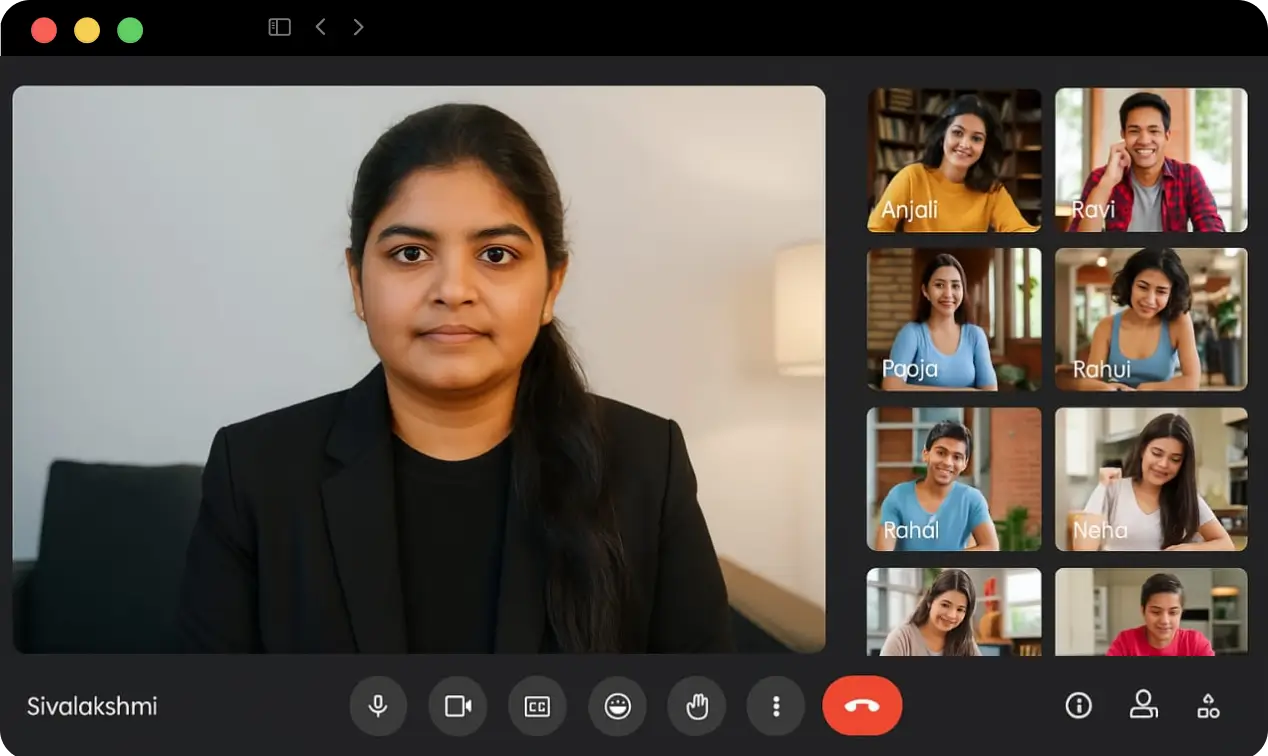
Meet Your Mentor
Sivalakshmi S
Senior Product Designer, 3 years of experience
She has been recognized twice for her excellence in design and mentorship, making her the perfect guide for aspiring designers.
Certification
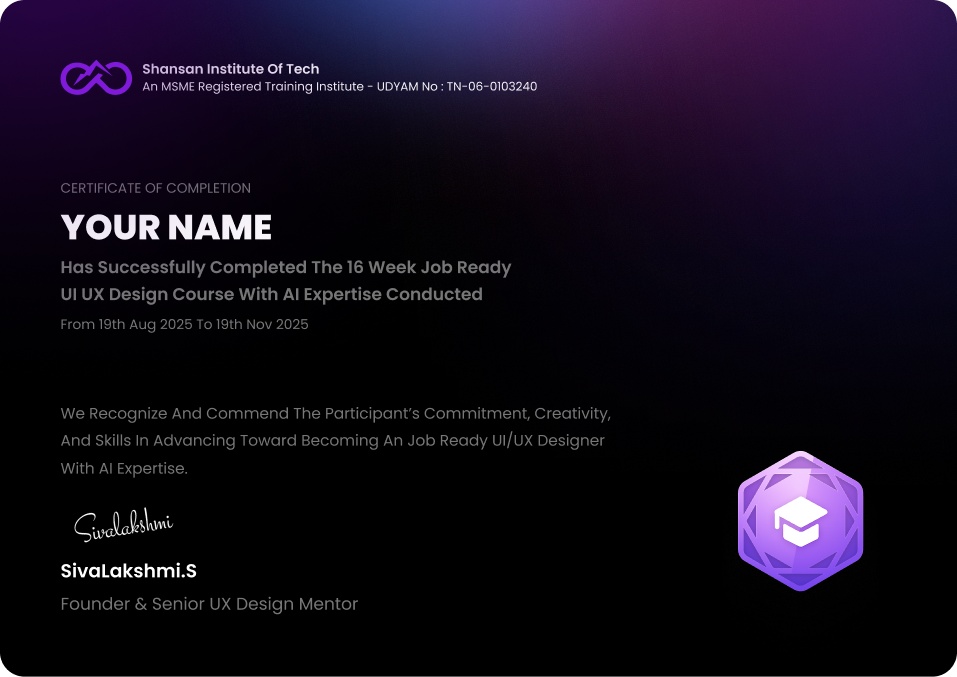
Get a value-adding certificate after completing the course . Showcase your skills to clients, recruiters, and design teams . Boost your resume with verified project experience
Why Choose Shansan Institute Over Others?
| What You Get | Shansan Institute of Tech | Other Platforms |
|---|---|---|
| Beginner to Advanced Learning |
|
|
| Experienced Mentor |
|
|
| Personal Mentor Support |
|
|
| AI-Powered Tools & Projects |
|
|
| Access to Free Monthly Workshops |
|
|
| Get 1 month Guaranteed Internship |
|
|
| Create Job ready Portfolio |
|
|
| Free Job Assistance & Interview Prep |
|
|
Most Recommended
16 week AI Powered UI/UX Design Course +1 Month Internship
₹15,000 Only
Enquire Now to get AI In UI/UX Workshop & Ux Roadmap Recording For Free
A complete AI-Integrated UI/UX Design Course (Basic to Advanced) with a Job-Ready Portfolio powered by AI Superpowers perfect for aspiring designers who want to stand out.
- Learn Basic to Advanced Concepts From Senior Ux Designer
- 4 Month Interactive Learning with 16 AI Integrated UI/UX Design Modules
- Get Job ready portfolio with 3+ case studies & 30+ Activities
- Get 1 Month Guaranteed Internship with 100% Placement Assistance
- Language : Both English & Tamil
What Our Students Say
Live sessions, portfolio, and AI tools made all the difference.
Raja Raguvaran
Student
Best part was feedback on real projects. Felt industry-level
Soundarya
Student
I switched careers confidently thanks to this course
Dhana Shri Yadav
Graphic Designer
Book Your Free Career Guidance Call
Let’s plan your journey to become a professional UI/UX designer in 2026.
Frequently Asked Questions (FAQs)
Our support team is here to help you kick off your summer learning journey, and we’re just a message away if you hit any bumps along the way.
Is this course beginner-friendly?
 Absolutely! This course is designed for students, fresh graduates, and career switchers who are starting from scratch. You don’t need any prior design knowledge. We guide you step by step from the basics to advanced UI/UX concepts using real-world examples and projects.
What’s the course format?
It follows a hybrid learning model with self-paced video lessons that you can watch anytime. You will also attend two live mentor sessions every week for Q&A, feedback, and discussions. This helps you learn flexibly while staying connected with your mentor and peers.
Does the course include AI tools and workflows?
 Yes. The entire curriculum is AI-integrated, helping you understand how modern designers use AI to speed up research, wireframing, and ideation. You will work with tools like ChatGPT, Gemini, MidJourney, and Uizard along with design tools like Figma and Notion.
What kind of projects will I work on?
 You will complete more than 30 mini activities, three real case studies, and one final capstone project that simulates real-world UI/UX challenges. These projects will help you build a professional portfolio that showcases your skills to employers.
Is the internship guaranteed?
Yes. Every student who completes the course will receive a one-month internship opportunity with one of our partner companies or design teams. You will get real client exposure and professional experience to add to your portfolio.
Do I get a certificate after completion?
 Yes. You will receive an MSME-certified course completion certificate that validates your training in UI/UX Design. The certificate also highlights your skills in AI-integrated design, adding value to your professional profile.
Will I get lifetime access to the course?
 Yes. You will have lifetime access to all video lessons, future updates, and recorded live sessions. You can revisit the materials anytime, even after finishing the course.
What kind of job support do you offer?
 You will receive complete job assistance after completing the course. We help with resume building, LinkedIn optimization, mock interviews, and connect you to hiring partners until you land a job.
What is the mentor’s background?
Your mentor, Sivalakshmi, is a Senior UX Designer with more than three years of industry experience. She will personally guide you through live sessions, portfolio reviews, and project feedback.
What if I have doubts during the course?
 You will get instant doubt support through a dedicated student community and mentor Q&A sessions. Our goal is to ensure you never get stuck, and every concept is explained clearly with personal feedback.